
Create US Passport Photo Online
Instant & Compliant
AI-powered passport photo generator that meets all official US Passport requirements. Processed securely on our servers — photos are deleted after processing.
Create US Passport Photo Now →51×51mm
Photo Requirements
Last verified: April 2026| Width | 51 mm (600 px) |
| Height | 51 mm (600 px) |
| Resolution | 300 DPI |
| Background | Plain white or off-white |
| Head coverage | 50–69% of frame |
| Expression | Neutral expression, mouth closed, eyes open and forward-facing |
| Eyes | Open, clearly visible |
| Glasses | Not allowed |
| Head covering | Not allowed except for religious or medical reasons — full face must be visible |
| Photo age | Taken within 6 months |
| Photos per sheet | 4 on 4x6" sheet |
How to create your photo
- 1
Choose your document
Select your country and document type from our list of supported documents.
- 2
Upload or take a photo
Upload an existing photo or use your device camera to take a new one.
- 3
AI auto-crop and background removal
Our AI automatically crops to the exact dimensions and removes the background.
- 4
Download your print-ready photo
Get an instantly downloadable file that meets all official requirements.
Official Source
Always verify the latest requirements with the official government portal.
https://travel.state.gov/content/travel/en/passports/need-passport/photos.htmlWhat a compliant US Passport photo looks like
Our AI transforms any casual photo into a government-ready passport photo in seconds.
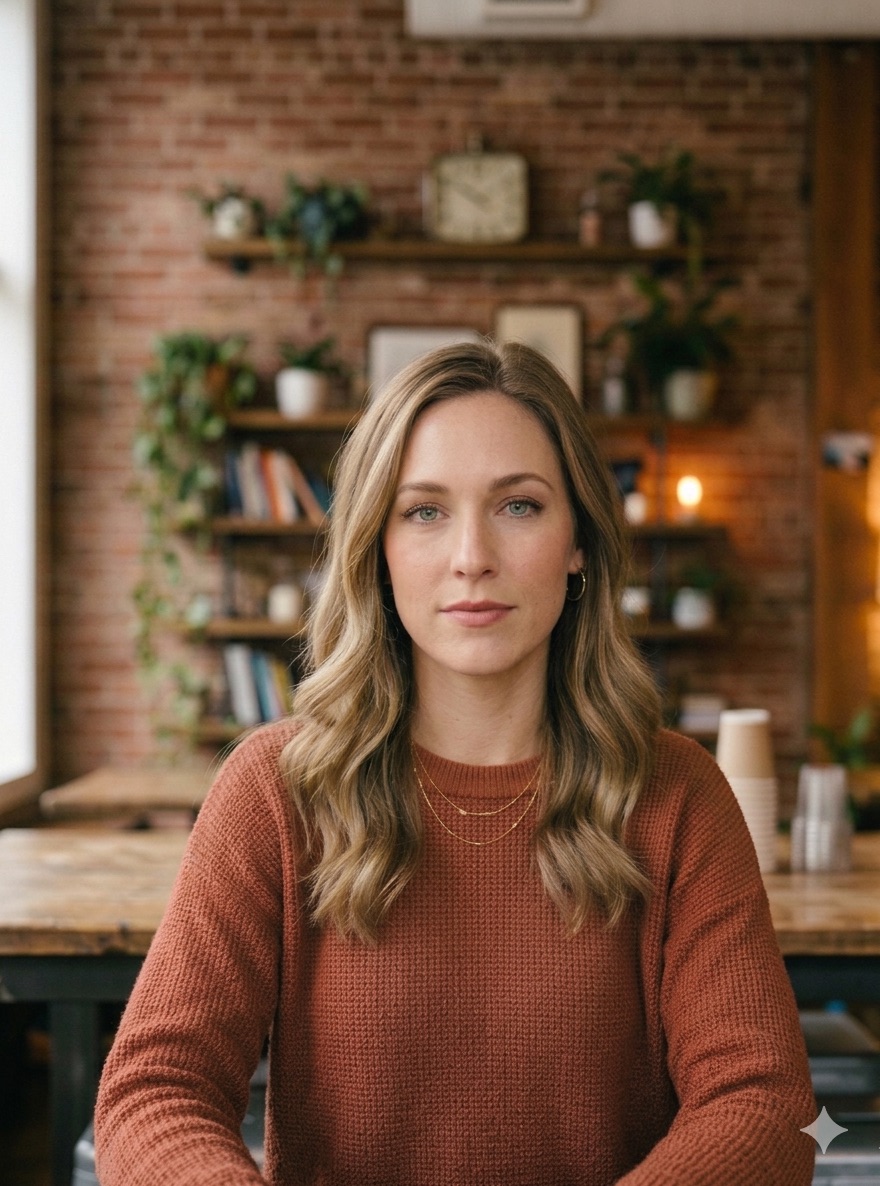
Original photo
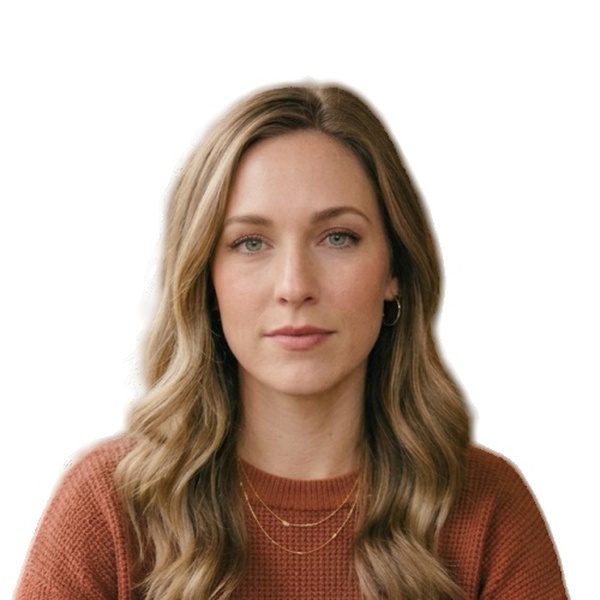
US Passport ready ✓
AI auto-crop · compliant background · 300 DPI · ICAO compliant
Common reasons US Passport photos get rejected
Avoid these mistakes to make sure your photo is accepted first time.
- Photo digitally altered or AI-enhanced — the State Department prohibits any changes made using computer software, phone apps, filters, or artificial intelligence. Many modern phones apply AI beautification by default. Altered photos are rejected without appeal.
- Head size outside the required range — your head (chin to crown) must measure between 1 and 1⅜ inches (25–35 mm) within the 2×2 inch photo. Too close or too far from camera causes rejection.
- Background is off-white, grey, or has shadows — must be plain white or off-white with no patterns, shadows, or objects.
- Glasses worn in the photo — not permitted. Remove all eyewear before taking your photo.
Frequently asked questions
- What are the exact dimensions for a US passport photo?
- US passport photos must be 2×2 inches (51×51 mm). Your head must be between 1 and 1⅜ inches tall (25–35 mm), measured from the bottom of your chin to the top of your head — this equals 50–69% of the frame height.
- Can I use an AI-edited or filtered photo for my US passport?
- No. The State Department explicitly prohibits photos changed using computer software, phone apps, filters, or artificial intelligence. This includes beauty filters, background blur, skin smoothing, and AI enhancement built into modern phone cameras. Disable all camera filters before taking your photo.
- Can I wear glasses in my US passport photo?
- No. Glasses are not permitted in US passport photos under any circumstances, including prescription glasses.
- Can I take my own US passport photo at home?
- Yes. You can take a photo at home as long as it meets all requirements: plain white or off-white background, correct head size (1–1⅜ inches), neutral expression, eyes open, no glasses, and no digital editing or filters. A well-lit room with a white wall works well.
Ready to create your US Passport photo?
Takes under 3 minutes. No account needed. Photos deleted after processing.
Create US Passport Photo →